Review Your Plan. Test Your Response.
Turn Lessons Into Action.
See what Crisis Cloud AI can do before you register. Explore how AI-assisted plan review, realistic crisis exercises and structured post-exercise reporting work together in one platform.
Try the interactive demo instantly. No sign-up. No credit card. No obligation.
Already ready to use it with your team? Explore the free 30-day trial.
One Platform. Three Connected Capabilities.
A crisis plan is only the starting point. Crisis Cloud AI helps you identify what to test, put people and procedures under realistic pressure, and turn the results into practical lessons.
Analyse Your Crisis Plan
Upload a PDF plan. The AI reviews it and suggests up to seven critical points for your exercise to test. You can refine the priorities before building the scenario.
Test the Response
Build an evolving crisis exercise with simulated stakeholder messages, social media and news. Your facilitator controls the pace, content and decisions.
Turn Lessons Into Action
Create an editable post-exercise report using the exercise record and participant responses. Add facilitator observations and develop clear recommendations for improvement.
Try It First. Then Make It Your Own.
There’s no need to register to see how the platform works. Explore the live demo, then move to a free private trial when you’re ready to test your own organisation’s response.
Experience the Live Demo
Start straight away. Try the exercise builder, explore AI-assisted analysis of an uploaded PDF plan and see how a post-exercise report is generated. You can view the report in the demo; downloading is reserved for the full trial.
Launch the Demo →No registration, payment details or obligation.
Start a Free 30-Day Trial
Like what you’ve seen? Set up a private organisation workspace, involve your colleagues, develop exercises based on your plans and download your finished reports. The trial is completely free and never converts to a paid subscription automatically.
See Your Free Trial Options →Available for UK/Europe and US organisations.
For confidential or sensitive organisational documents, use the private trial rather than the public demo unless your information-handling requirements permit demo uploads.
Start With the Plan You Already Have.
Upload your crisis management or business continuity plan as a PDF. Crisis Cloud AI reviews the document, identifies up to seven critical points to test and asks whether there is anything else you want to explore. Those priorities help shape an exercise around your organisation, rather than a generic scenario.
The AI supports preparation and professional judgement; it does not certify that a plan is compliant, complete or effective.
Try Plan Review in the Demo →Illustrative workflow, not a screenshot of the platform.
Test Decisions Under Realistic Pressure.
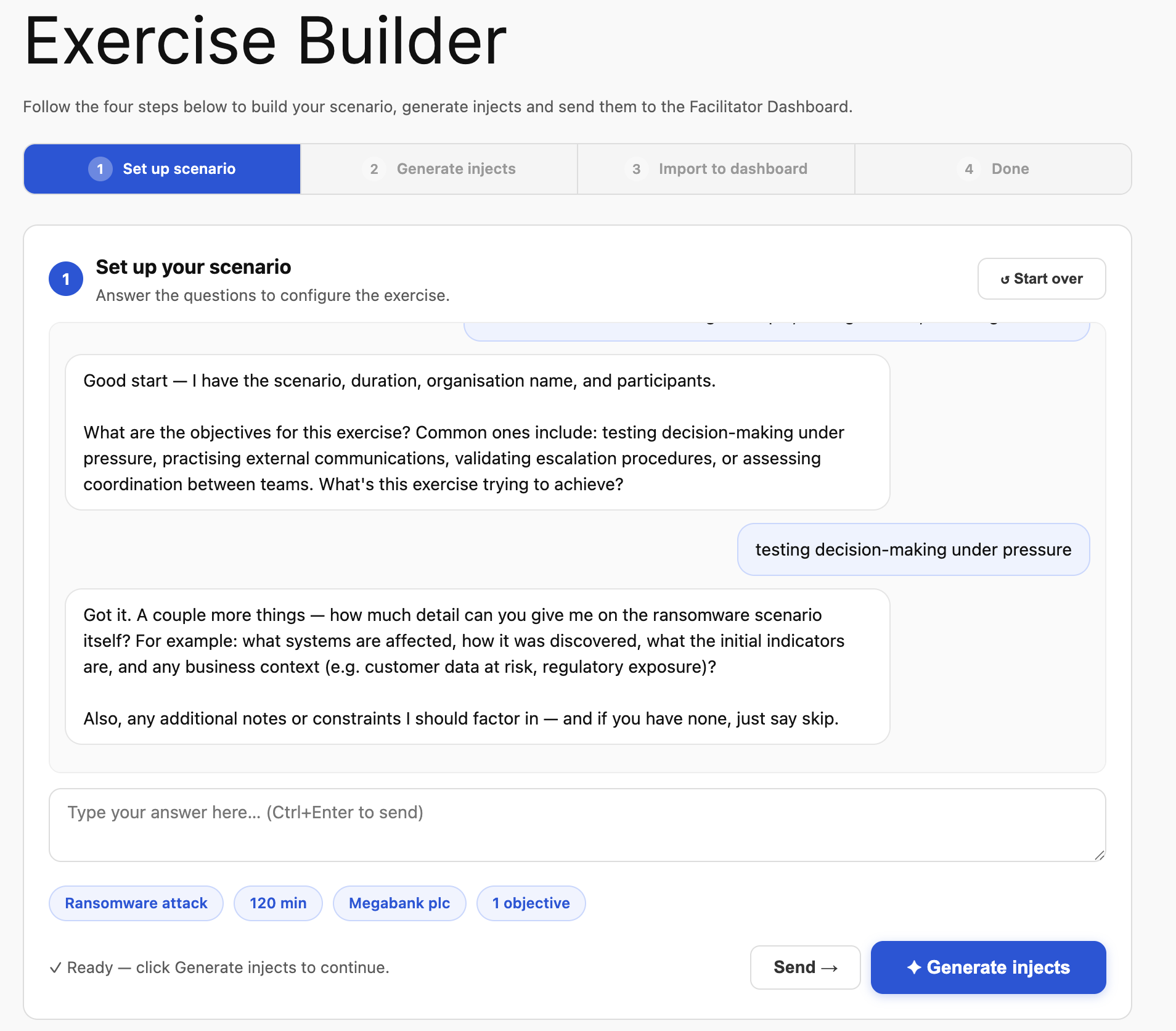
Describe your scenario, exercise duration and objectives in a straightforward conversation with the AI. Crisis Cloud AI creates injects that can include internal messages, stakeholder demands, social media reaction and developing news stories.
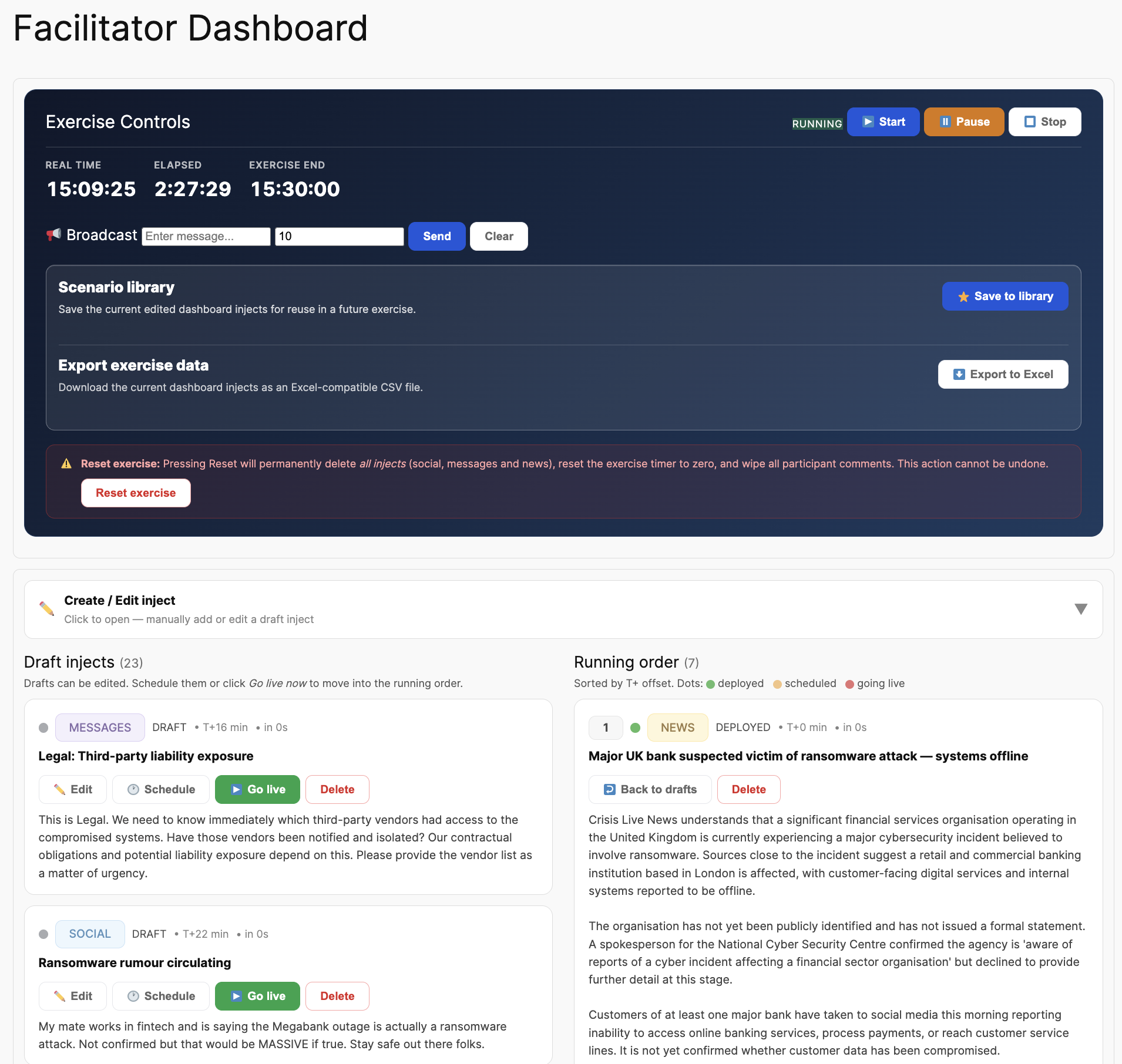
The facilitator can review and edit the injects, schedule their release, pause the exercise and adapt the pressure as the situation unfolds. The AI helps prepare the exercise; you remain in control.
Make the Exercise Count After It Ends.
At the end of the exercise, generate a structured draft report informed by the exercise activity and recorded participant responses. Review and edit the narrative, add your own facilitator observations and capture recommendations for strengthening future crisis response.
Preview report generation in the live demo. When you’re ready to download and share final reports, the full functionality is available in your free 30-day organisation trial.
See the Reporting Experience →Illustrative workflow, not a screenshot or an automatically verified compliance assessment.
A Developing Crisis, Not Just a Slide Deck.
Crisis Cloud AI makes the exercise feel real through multiple channels while giving facilitators practical tools to run it confidently.
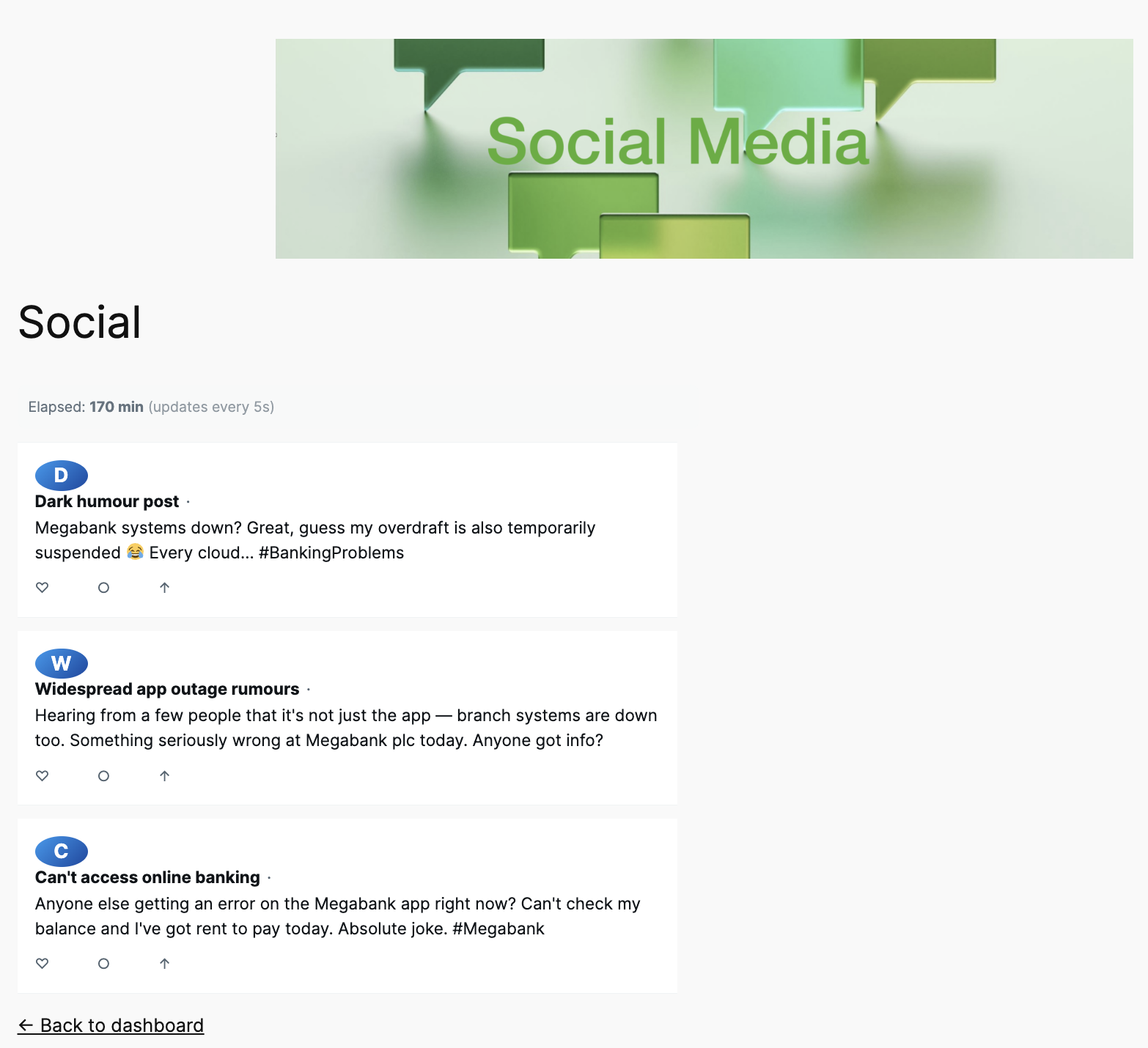
Social Media Pressure
Reactions, questions, speculation and public commentary build alongside the incident.
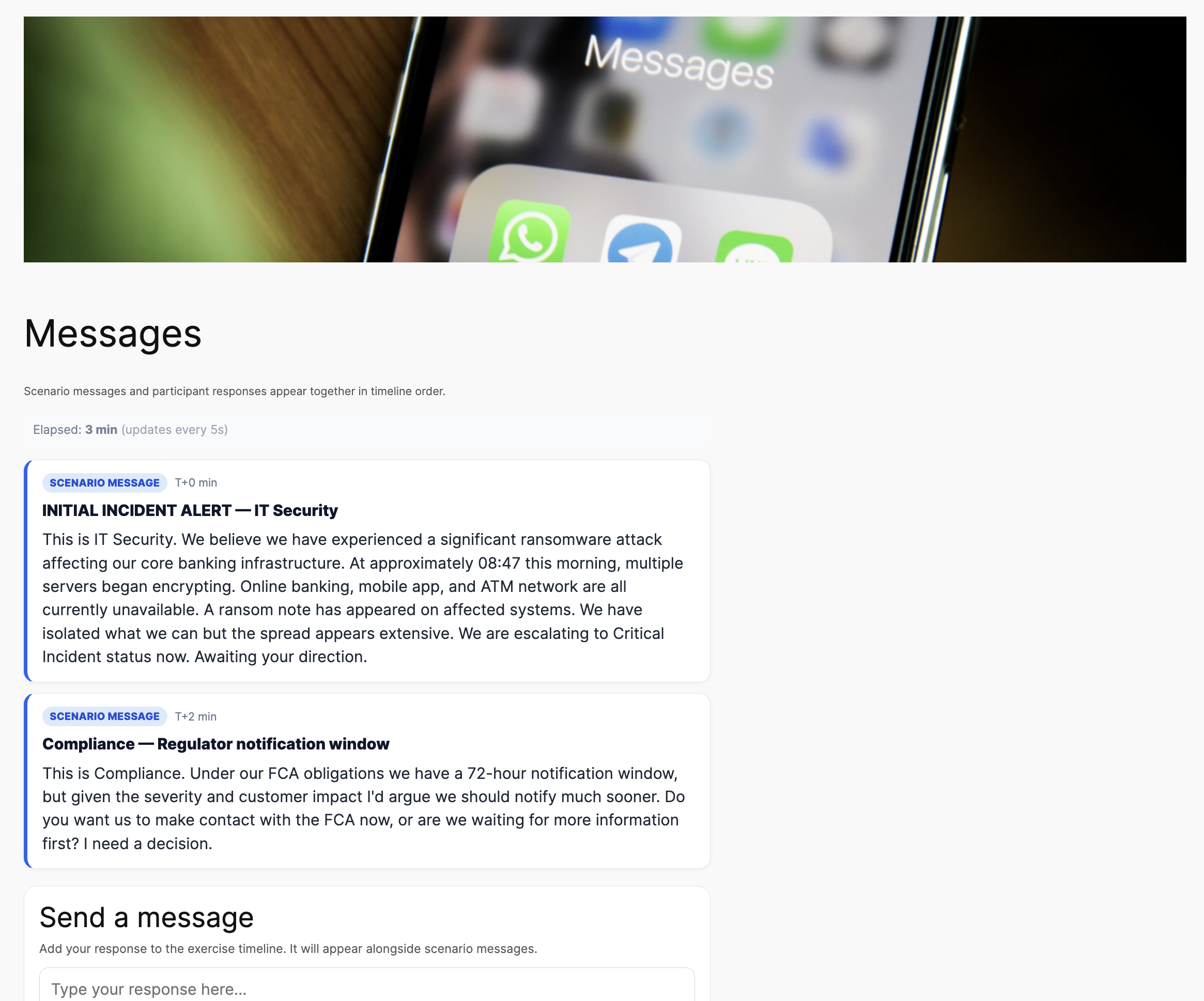
Stakeholder Messages
Requests and challenges arrive from employees, regulators, customers and other stakeholders.
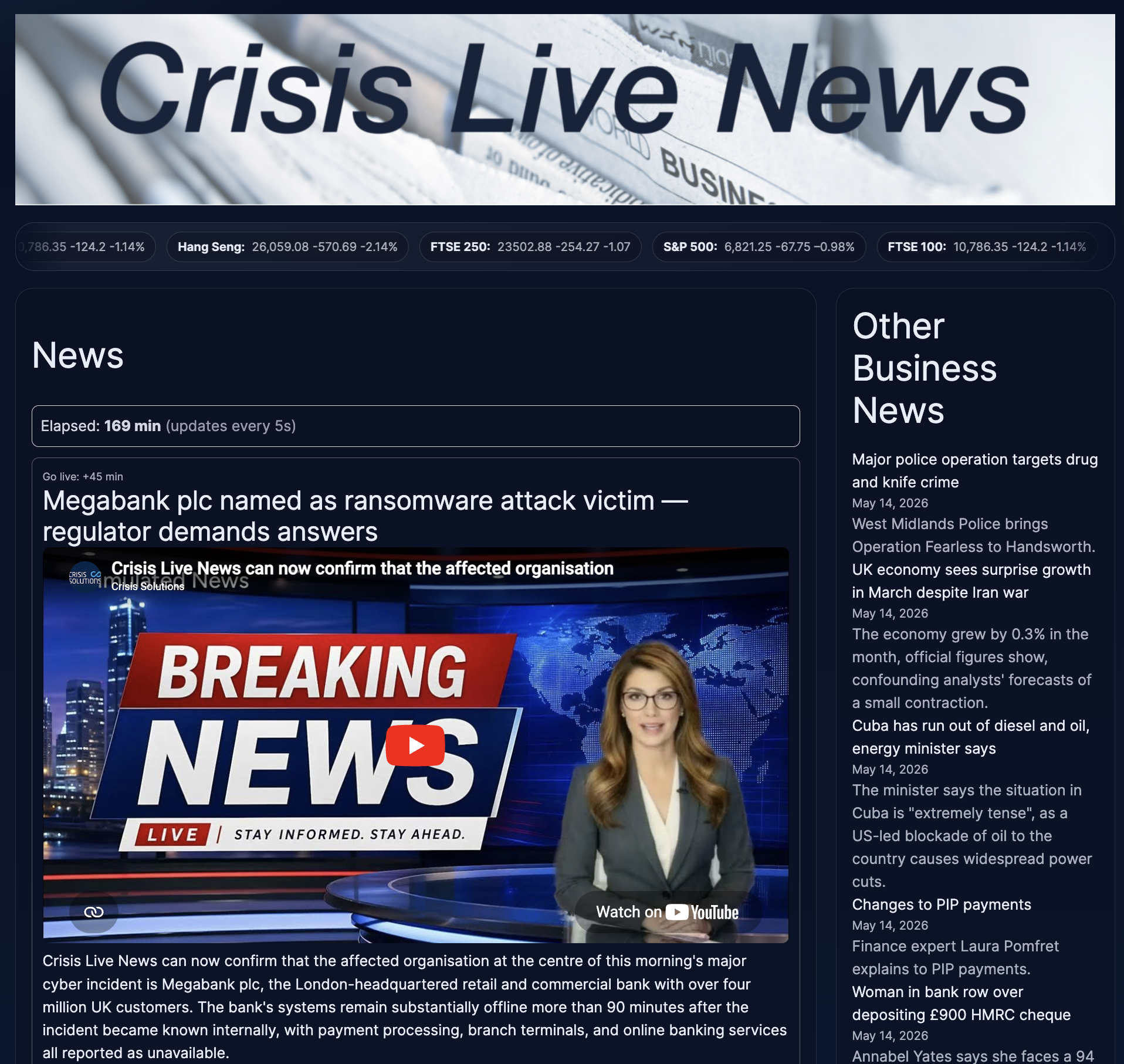
Breaking News
Developing reports add pace, uncertainty and external pressure as the scenario progresses.
You Run the Exercise. The AI Supports You.
Review, edit and schedule each inject before it reaches participants. Start, pause and adapt the exercise while retaining the human judgement that effective crisis exercising requires.
See Crisis Cloud AI in 60 Seconds
Discover how Crisis Cloud AI analyses your crisis plan, creates realistic exercises and generates meaningful post-exercise reports — all in one intelligent platform.
From a First Look to a Full Team Exercise.
The live demo lets you experience the software before making any commitment. If it suits your needs, the free 30-day trial is the next step: a private workspace where you can involve colleagues and download reports.
Try It Right Now
No registration, no card. Explore the exercise builder, test PDF plan analysis and generate a report preview. Report downloading isn’t available in the demo.
Involve Your Team
Create a private organisation site, use your own crisis plans, run exercises with colleagues and download finished reports. No card required.
Subscribe Only If It Works
At the end of your free trial, choose whether to continue with a paid subscription. Nothing starts automatically and there is no obligation to buy.
Ready to See What Your Team Could Achieve?
Start with the interactive live demo. Experience plan review, realistic crisis exercising and a report preview right away, with no registration or commitment.